

Built by 36563 · Free for every team
Hive Shot Lab
Film your shooter in slow motion and get the launch speed, launch angle and IN / LOW / HIGH result of every pollen ball. Free, open source, made by FTC team 36563 Prime Symmetry.
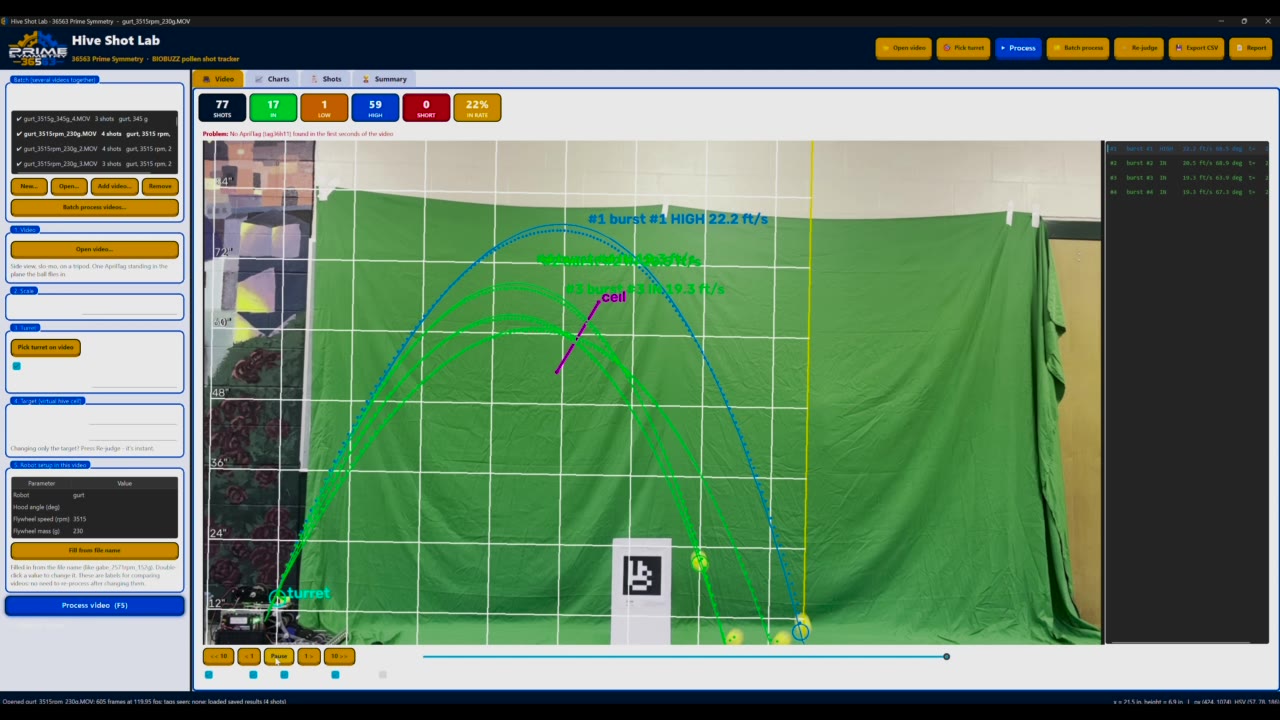 Watch Hive Shot Lab in action
Windows 10/11 download, or run it on Mac and Linux with Python. Apache 2.0.
What you get
See every shot
Track
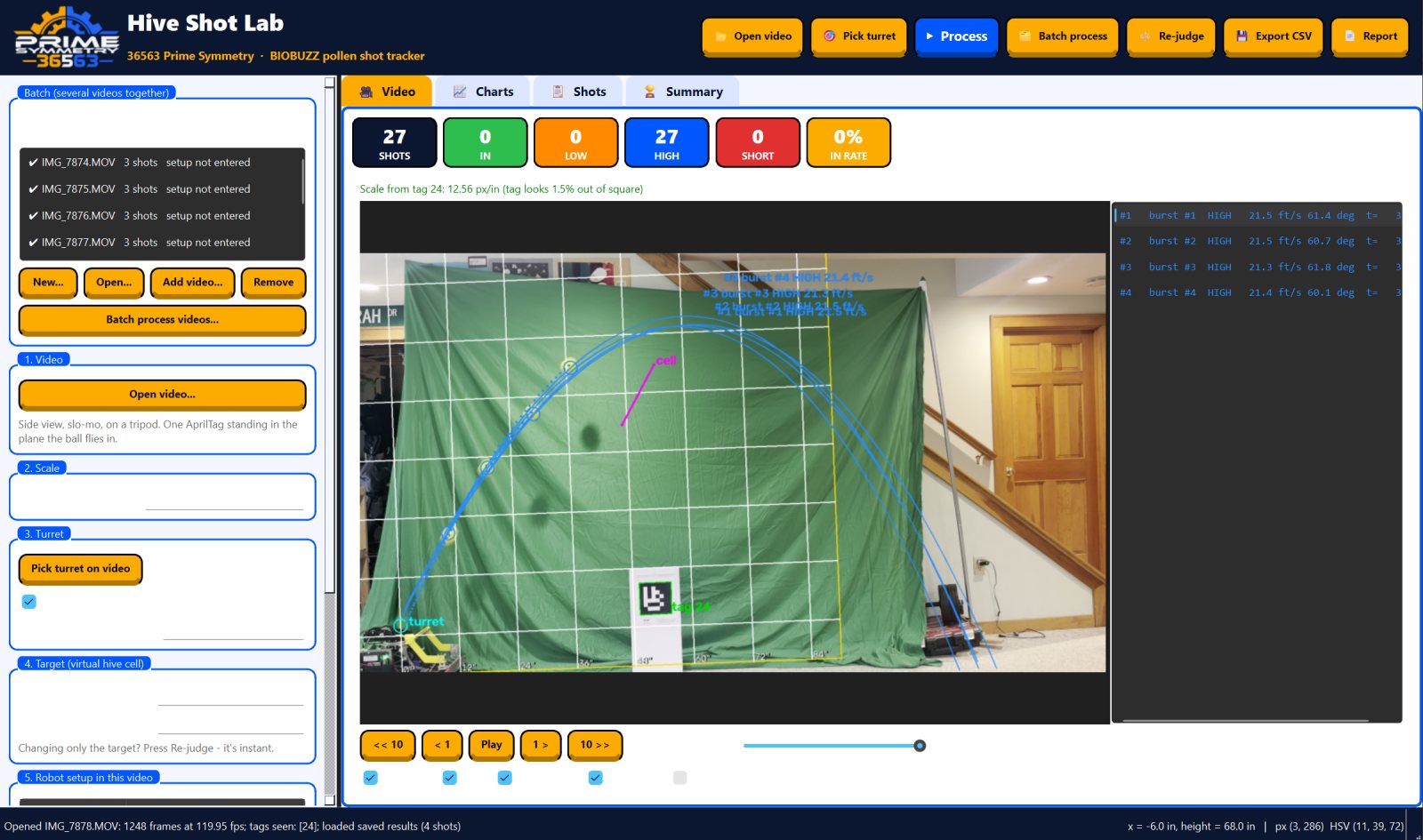
Every ball is found and followed frame by frame, drawn over your video on a 1-foot grid. A scoreboard counts IN, LOW and HIGH, and the result flashes as each ball reaches the cell.
Measure
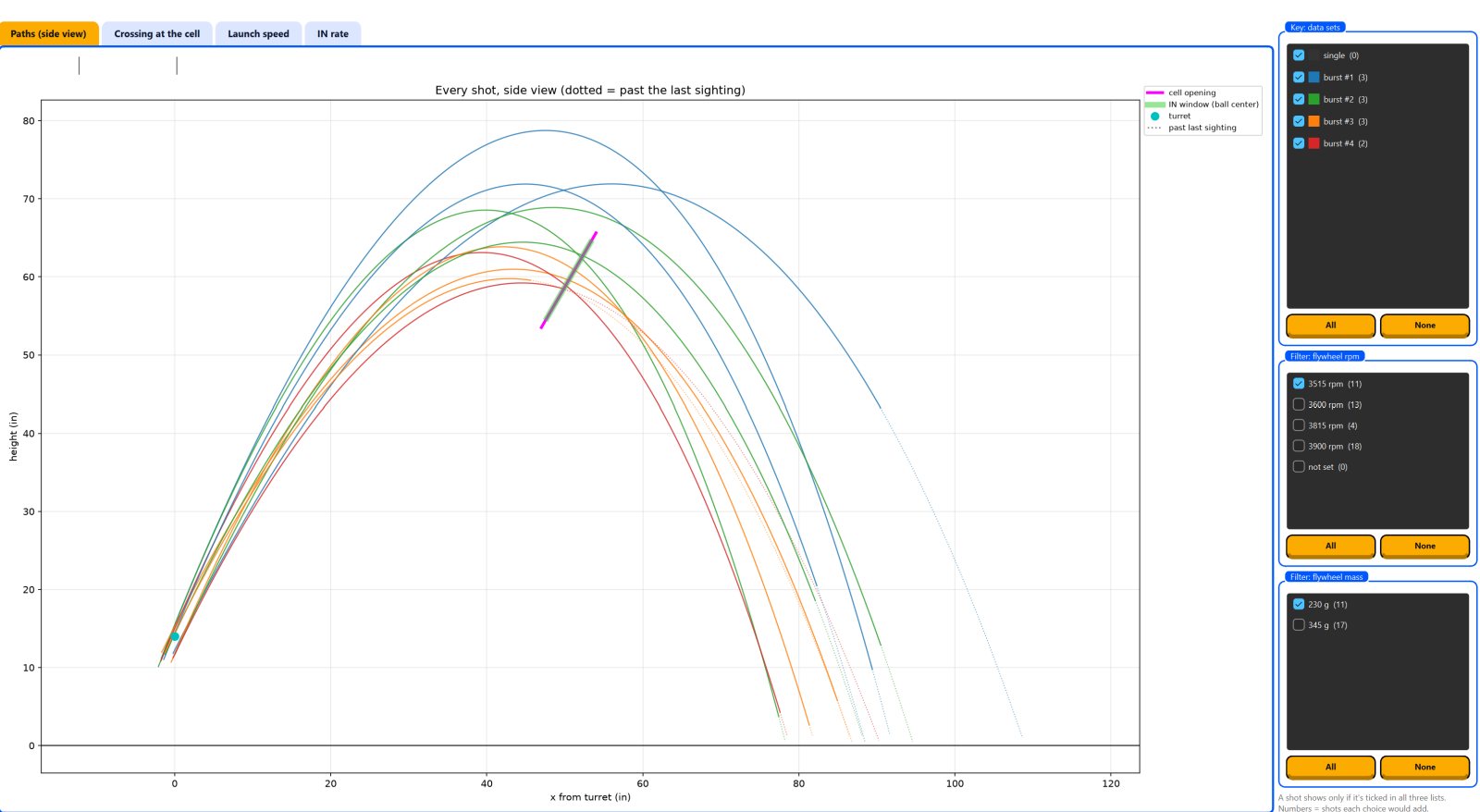
Each flight is fitted with real projectile physics, air drag included. You get launch speed, launch angle and the full path, even past where the camera lost the ball.
Compare
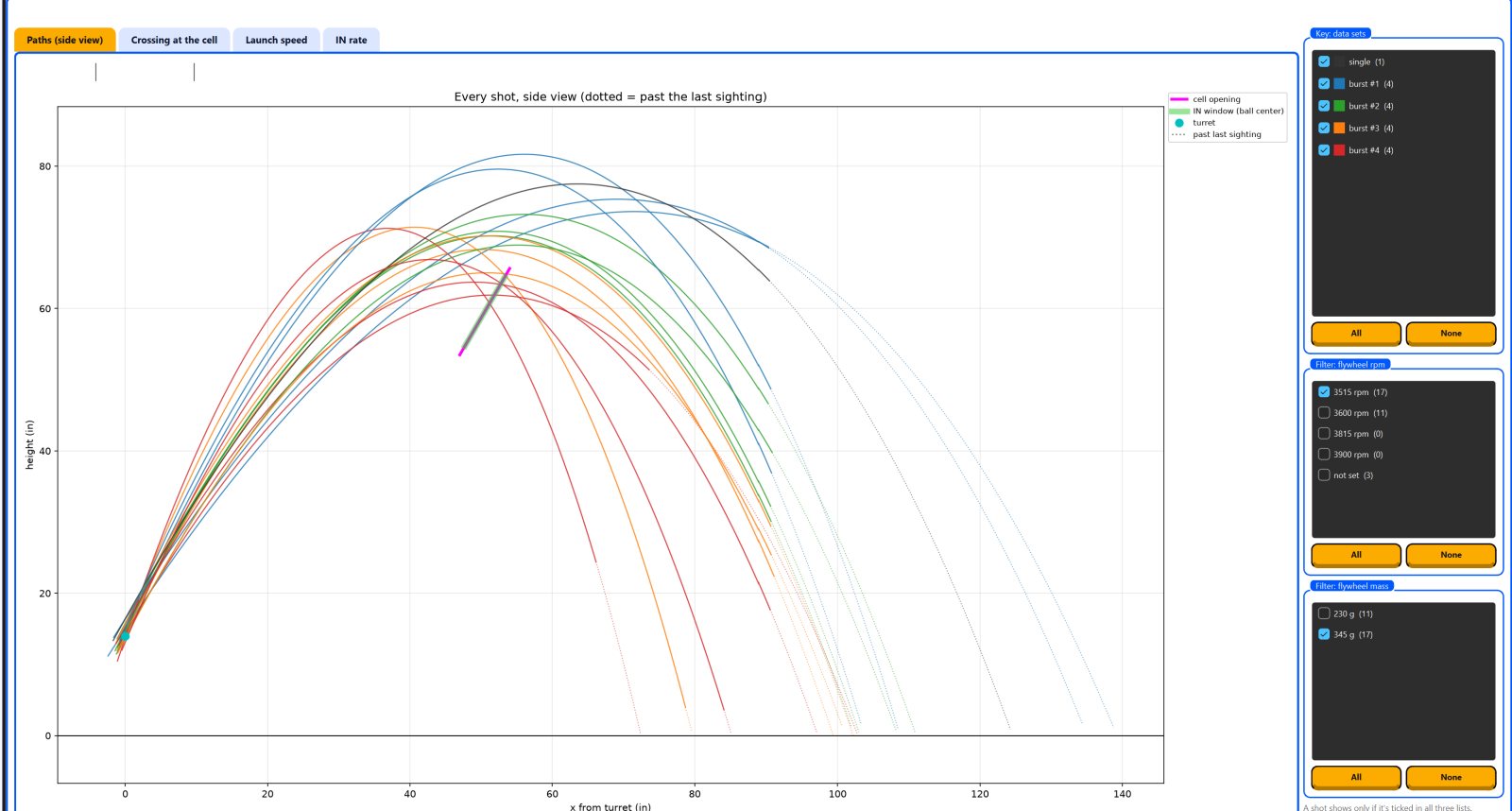
Batch-process a whole practice. Name videos like robot1_2571rpm_152g and every chart splits by robot setup, with filters for flywheel speed and mass. Export a CSV or a one-page report.
Film it right
- Slow motion, 120 or 240 fpsA phone on a tripod, looking straight at the side of the shot.
- One AprilTag in the flight planeA printed tag36h11 tag standing where the ball flies. It sets the scale, so nothing else needs measuring.
- Plain backgroundA green screen is ideal. Keep anything else yellow out of view.
- Bright, steady lightLock focus and exposure so the ball stays sharp.
- Copy the original fileNot a "for sharing" copy, so the slow motion survives.
Then
- Open the videoThe tag is found and a grid appears.
- Click the turret onceThat's the origin for every measurement.
- Press ProcessEvery shot is tracked, fitted and judged.
- Read the resultsCharts, shots table, summary, CSV and report.
Full filming guide and troubleshooting in the README.
Special thanks to the open-source projects that make it possible: OpenCV, AprilTag (University of Michigan APRIL Lab), FFmpeg, Qt for Python, NumPy, SciPy, pandas, Matplotlib and PyInstaller.
FIRST® and FIRST® Tech Challenge are registered trademarks of FIRST®, which is not overseeing, involved with, or responsible for this software.